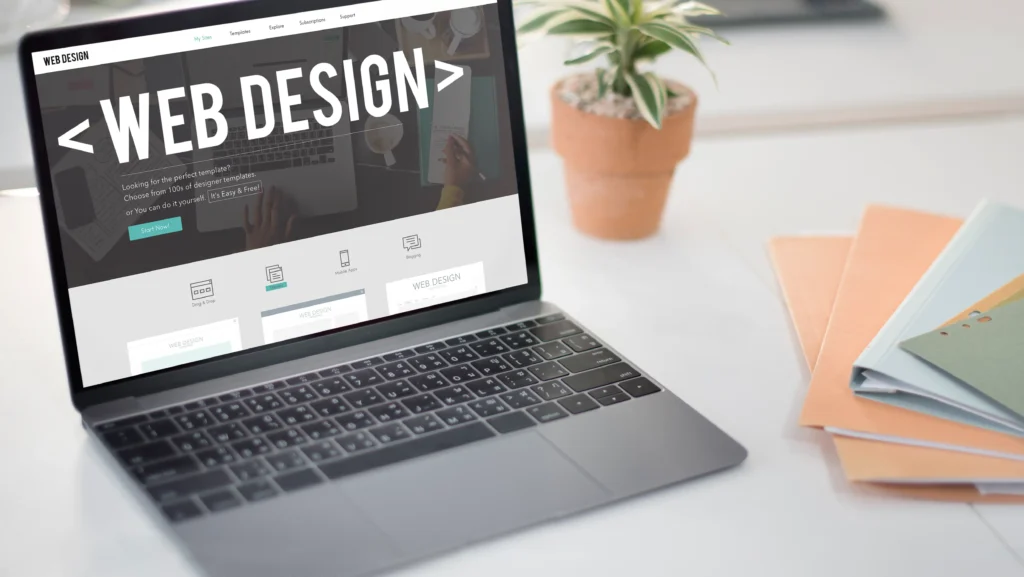
Unlocking the Power of WordPress Blocks for Stunning Web Design
The evolution of WordPress from a simple blogging platform to a full-fledged website builder is largely credited to the introduction of the Gutenberg block editor. This paradigm shift moved away from a single content field to a modular system where every element on a page is a distinct, customizable block. This isn't just a technical change; it's a creative revolution that empowers users, from beginners to seasoned developers, to craft visually appealing pages without touching a line of code. The block editor transforms the process of web design into an intuitive, visual experience, putting the power of layout and styling directly into the hands of the content creator.
Understanding this system is the first step toward mastering modern WordPress design. For a foundational guide on getting started with this powerful platform, our comprehensive resource on kako napraviti sajt u WordPressu sve sto treba da znas pre nego sto pocnes is an essential read.
Osnovni principi vizuelnog dizajna u blok editoru
Before diving into specific blocks, it's crucial to grasp the core design principles that make a page effective. The block editor is a tool, and like any tool, its output depends on the skill and intention of the user. A visually appealing design is not just about being pretty; it's about communication, usability, and guiding the visitor toward a desired action.
The foundation of good design in the block editor rests on three pillars: hierarchy, consistency, and whitespace. Hierarchy ensures that the most important elements (like your headline or call-to-action button) grab attention first. You can establish this by using larger font sizes, bolder weights, or strategic color placement within your heading and paragraph blocks. Consistency means using a limited, harmonious color palette and typography scheme across all blocks, which builds a professional and trustworthy brand image. Whitespace, or negative space, is not empty space—it's a powerful design element that prevents clutter, improves readability, and allows your content to breathe. The Group and Spacer blocks are invaluable for managing whitespace effectively.
A study by the Nielsen Norman Group found that users often read web pages in an F-shaped pattern, scanning the top and left side of the content. This underscores the importance of placing key information and compelling visuals in these prime areas using well-structured columns and media blocks.
Masteriranje ključnih blokova za maksimalni uticaj
The true magic of the block editor lies in its diverse library. Moving beyond basic text and images, let's explore blocks that can transform a static page into a dynamic experience.
- Columns Block: This is arguably the most powerful layout block. It allows you to break free from the single-column constraint and create complex, magazine-style layouts. You can place any other block inside a column—text, images, buttons, even more columns. This is essential for creating feature lists, team member profiles, or contrasting product descriptions side-by-side. For showcasing team members effectively, which builds trust, consider the strategies outlined in kako web sajt pomaze u predstavljanju clanova tima.
- Cover Block: The Cover block is your go-to for creating impactful hero sections. It allows you to overlay text and buttons on a full-width image or background color. You can control the opacity of the background for readability and set fixed or parallax scrolling effects. This block is perfect for your website's key message at the top of the homepage.
- Media & Text Block: This specialized block seamlessly integrates an image or video with accompanying text, side-by-side. It provides more controlled alignment options than the Columns block for this specific purpose and is ideal for explaining features, telling a story, or presenting a product benefit with its visual proof.
- Buttons and Call-to-Action (CTA): A visually distinct button is the engine of conversion. The Button block is highly customizable—you can choose its shape, color, typography, and even add an icon. Its effectiveness is directly tied to user experience (UX). Placing clear, action-oriented buttons (like "Naručite sada," "Preuzmite vodič," "Zakažite konsultacije") in strategic locations guides the user journey. For insights on designing a site that converts visitors into customers, explore kako dizajnirati WordPress sajt koji privlaci kupce.
Napredne tehnike i integracije za profesionalni finish
To elevate your designs from good to exceptional, you need to leverage advanced block capabilities and thoughtful integrations.
- Block Patterns and Reusable Blocks: WordPress includes a directory of block patterns—pre-designed layouts for sections like testimonials, headers, or contact forms that you can insert and customize with one click. Even more powerful are Reusable Blocks. If you design a perfect testimonial section or a specific call-to-action, you can save it as a reusable block and insert it on any page or post. Update it once, and the change propagates everywhere, ensuring absolute consistency.
- Global Styles and Theme Integration (WordPress 5.9+): With Full Site Editing (FSE) and compatible themes (like many block themes), you can define Global Styles. This means you set your brand's color palette, typography (fonts, sizes, weights), and spacing defaults in one place (the Site Editor). Every block you add will automatically inherit these styles, guaranteeing a unified look across your entire website. This is a game-changer for maintaining brand consistency.
- Dodavanje interaktivnih elemenata: Engagement is key. Use blocks or plugins to embed forms, interactive maps, or social media feeds. For instance, a well-integrated contact form is vital for business sites. You can learn the best practices for this in our guide kako dodati kontakt formu na WordPress sajt. Furthermore, incorporating elements like a simple quiz or a portfolio gallery can significantly increase time spent on site.
According to a report by Google, websites that load within 5 seconds have 70% longer average sessions and 35% lower bounce rates compared to slower sites. While blocks offer great design flexibility, it's vital to optimize images (use the built-in "Image Size" options) and consider performance. Avoid overloading a page with dozens of complex blocks, as this can impact loading speed.
Optimizacija za mobilne uređaje: neophodnost, ne opcija
With over half of all global web traffic coming from mobile devices, a visually appealing page must be a responsive page. The WordPress block editor has a built-in responsive design preview. You can switch views to see how your layout looks on mobile or tablet.
Key considerations for mobile:
- Stacking Columns: On mobile, multi-column layouts typically stack vertically. Always preview to ensure the stacking order makes sense.
- Font Sizes: Text that looks good on desktop might be too small on mobile. Use relative units or check the mobile preview to adjust.
- Image and Button Sizes: Ensure touch targets (like buttons) are large enough to be tapped easily on a touchscreen.
A mobile-optimized site is no longer just a best practice; it's a critical factor for SEO and user retention. For a deep dive into creating a site that excels on all devices, our article on kako izraditi WordPress sajt optimizovan za mobilne uredjaje provides a complete roadmap.
Praktični primer: Izrada privlačne landing stranice korak po korak
Let's apply these concepts by building a simple landing page section for a consulting service:
- Hero Sekcija (Cover Block): Start with a Cover block. Set a compelling background image related to your service. Overlay it with a Heading block ("Transformišite svoj biznis"), a Paragraph block with a sub-headline, and a bold Button block ("Rezervišite besplatnu konsultaciju"). Center-align the text and adjust the background opacity for perfect readability.
- Sekcija sa prednostima (Columns Block): Add a Heading block ("Zašto birati nas?"). Below it, insert a Columns block with three columns. In each column, place a Media & Text block. Use an icon or small image on the left, with a short heading and descriptive text on the right (e.g., "Isksutvo," "Personalizovani pristup," "Dokazani rezultati").
- Poziv na akciju (Group Block): Create a new section with a contrasting background color using a Group block. Inside, place a compelling headline, a short reinforcing message, and a prominently styled Button block that repeats your primary call-to-action.
This structure uses visual hierarchy, consistent branding, and clear CTAs to guide the visitor, demonstrating the practical power of block-based design.
Često postavljana pitanja (FAQ)
1. Da li mogu da postignem profesionalan izgled samo sa ugrađenim WordPress blokovima?
Apsolutno da. Ugrađeni blokovi u WordPressu su veoma moćni i dovoljni za kreiranje profesisonalnih i vizuelno privlačnih sajtova. Ključ je u poznavanju principa dizajna (hijerarhija, konzistentnost, bjeline) i pravilnom korišćenju blokova za raspored kao što su Kolone, Cover i Grupa. Korišćenje Globalnih stilova u kompatibilnim temama dodatno unapređuje i ujednačava izgled.
2. Kako da osiguram da moja stranica bude brza ako koristim puno blokova?
Brzina je ključna. Optimizujte sve slike pre nego što ih postavite koristeći alate za smanjenje veličine. WordPress takođe nudi opcije za generisanje verzija slika za različite veličine ekrana. Izbegavajte preterano ugnježđavanje blokova (npr., kolone unutar kolona unutar kolona) i redovno koristite alate za proveru performansi kao što su Google PageSpeed Insights. Kvalitetan hosting takođe ima presudnu ulogu.
3. Šta su blok šabloni (patterns) i kako ih najbolje iskoristiti?
Blok šabloni su unapred dizajnirani rasporedi blokova koji rešavaju specifične dizajnerske potrebe, kao što je sekcija sa iskustvima klijenata, zaglavlje ili podnožje. Možete ih pronaći u biblioteci blokova pod karticom "Patterns". Oni su odličan početak za brzu izgradnju kompleksnijih sekcija koje zatim možete potpuno prilagoditi svojim potrebama, štedeći vreme i obezbeđujući dizajnersku doslednost.
4. Kako da moj dizajn bude konzistentan na svim stranicama sajta?
Koristite Globalne stilove (dostupno u blok temama od WordPress 5.9) da definišete boje, tipografiju i razmake na nivou celog sajta. Još važnije, kreirajte i koristite Ponovljive blokove (Reusable Blocks) za elemente koji se često pojavljuju, kao što su specifični pozivi na akciju, zaglavlja sekcija ili kontakt informacije. Kada izmenite jedan ponovljivi blok, promena će se primeniti svuda gde se on koristi.
5. Da li je potrebno da znam kodiranje za napredno prilagođavanje blokova?
Za većinu naprednih prilagođavanja, kodiranje nije neophodno. Međutim, za specifične, jedinstvene izmene koje ne podržavaju ugrađene opcije bloka ili tema, možda će vam trebati dodatni CSS. WordPress blok editor omogućava dodavanje "Dodatnih CSS klasa" na svaki pojedinačni blok, što vam daje finu kontrolu uz osnovno poznavanje CSS-a. Za kompleksnije modifikacije, angažovanje profesionalne agencije za izradu web sajtova može biti najefikasnije rešenje.